


Series Overview
MODELS – Terraform 8, Terraform 12CONTROL TYPE – 10-Level PWM
PROGRAMS – Cool Mode, Heat Mode, Cool/Heat Mode, Dry Mode, Fan Mode, Temperature, Humidity, and VPD Triggers, Advance Programs via UIS Controller
SETTINGS – AI Setting, Lock/Hide Display, F° / C° / % / VPD, and More
CLIMATE SENSORS – Temperature, Humidity, and VPD
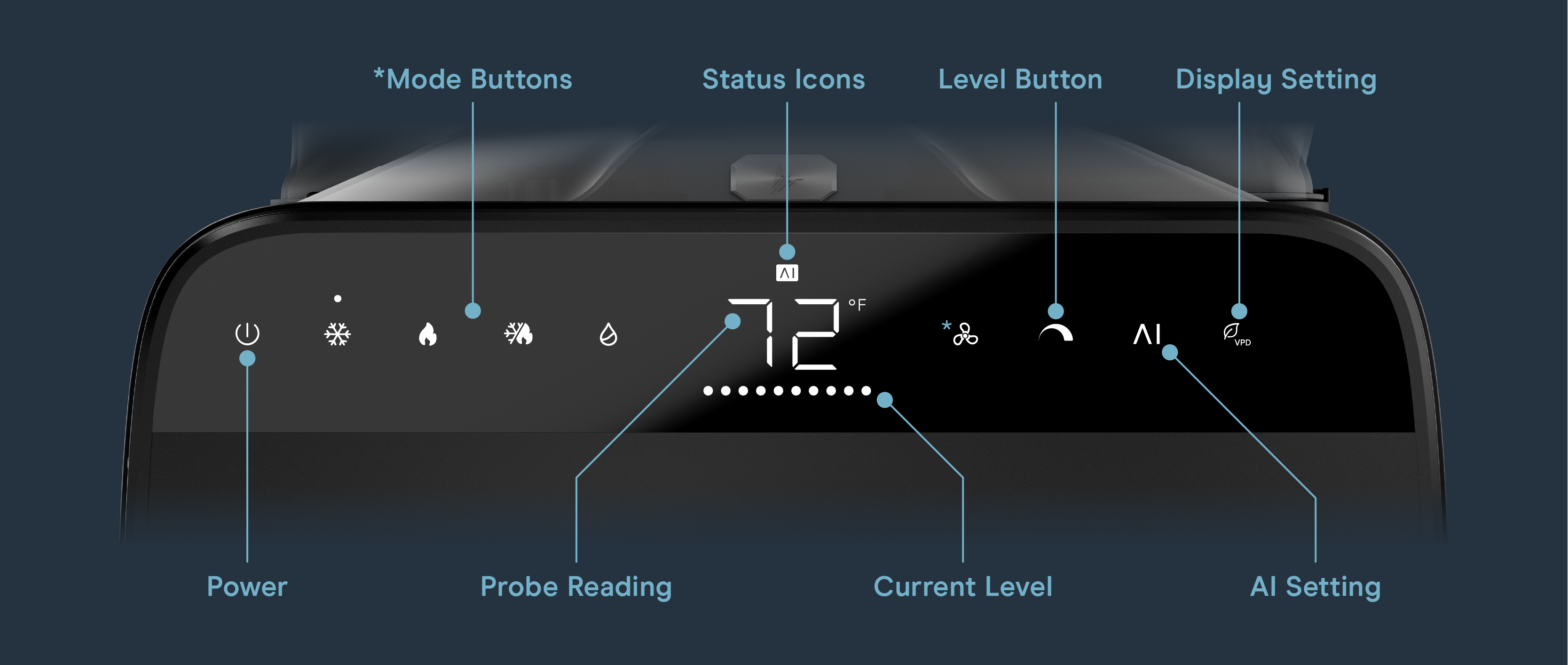
Controller Diagram
Programming Modes
Tap any of the mode buttons to cycle through the mode’s target setting. Hold to cycle past the target range until ON mode is activated. AI setting (Cool, Heat, Cool/Heat, or Dry modes ONLY) analyzes climate patterns, anticipates spikes, and adjusts heat levels dynamically to maintain your desired temperature, humidity, or VPD target.
Pressing the display button will cycle through the controller’s available settings: °F / °C / % / kPa.
Other Settings
Factory Reset
Hold the power and cool buttons together for 3 seconds to reset your AC and restore factory settings.

Mute Sound
Hold the power and display setting buttons together for 2 seconds to mute/unmute sound.

Hide Display
Hold the display setting button for 3 seconds to hide the display. The mode indicator light will remain on. Press any button other than the power button to turn the display back on.

Alert Icons
The alert icons are displayed at the top of the screen and will flash when the controller signals an alert, notifying you of any triggered functions or alarms.
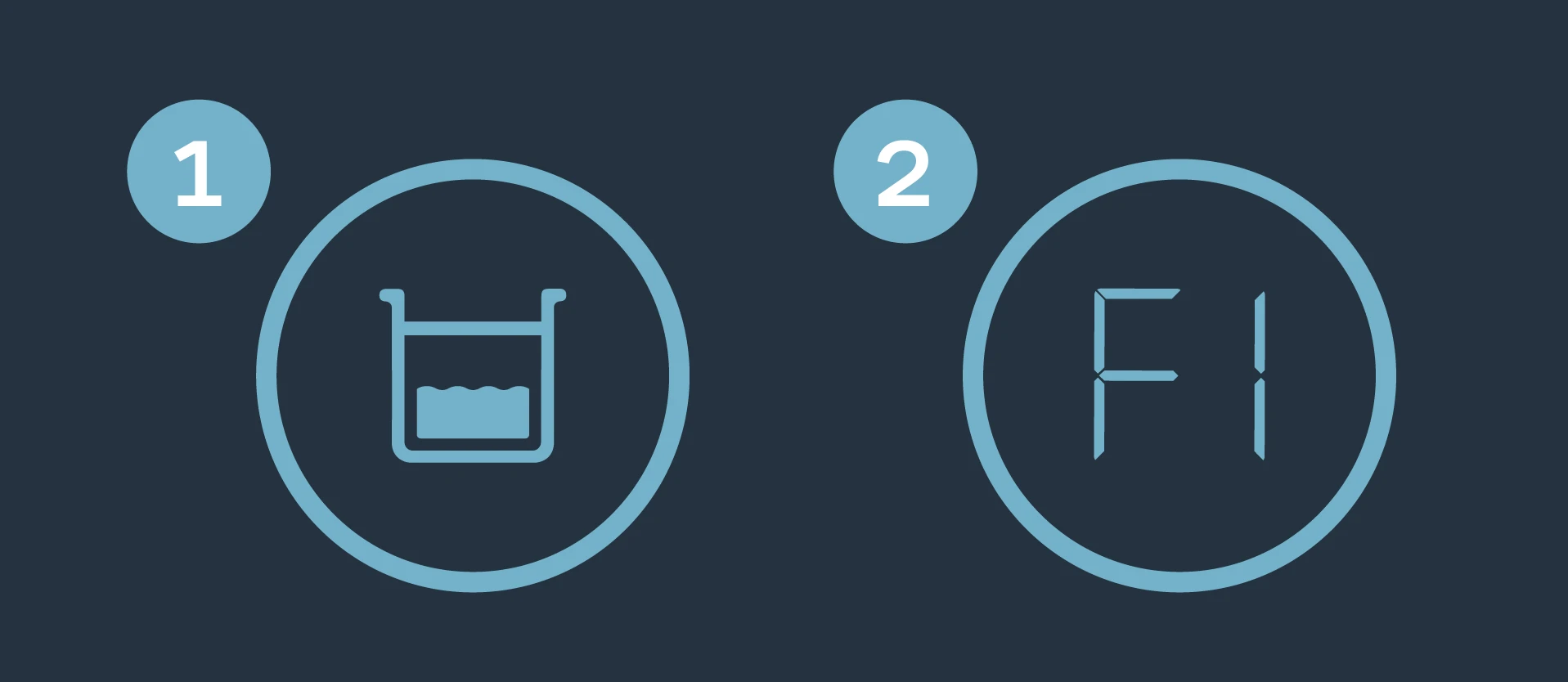
- Full Condensation Tray – Displays when the condensation tray is full. Your AC will pause programming, and its screen will flash until the water is emptied.
- No Longer Upright – Displays if your AC falls or tilts. Your AC will pause programming, and its screen will flash until it is back to an upright position.
- Error “P” – “P” followed by a number indicates a self-recovery in progress and your AC will resume normal functions on its own.
- Error “E” or “C” – If you see “E” or “C” followed by a number, contact customer service for assistance.
If issues persist, contact our customer service department at support@acinfinity.com or (626) 923-6399 for product and warranty assistance.


